My MOOSH
Employee channel of the OS — check-ins, support, risks, and policy help without feeding the HR console.
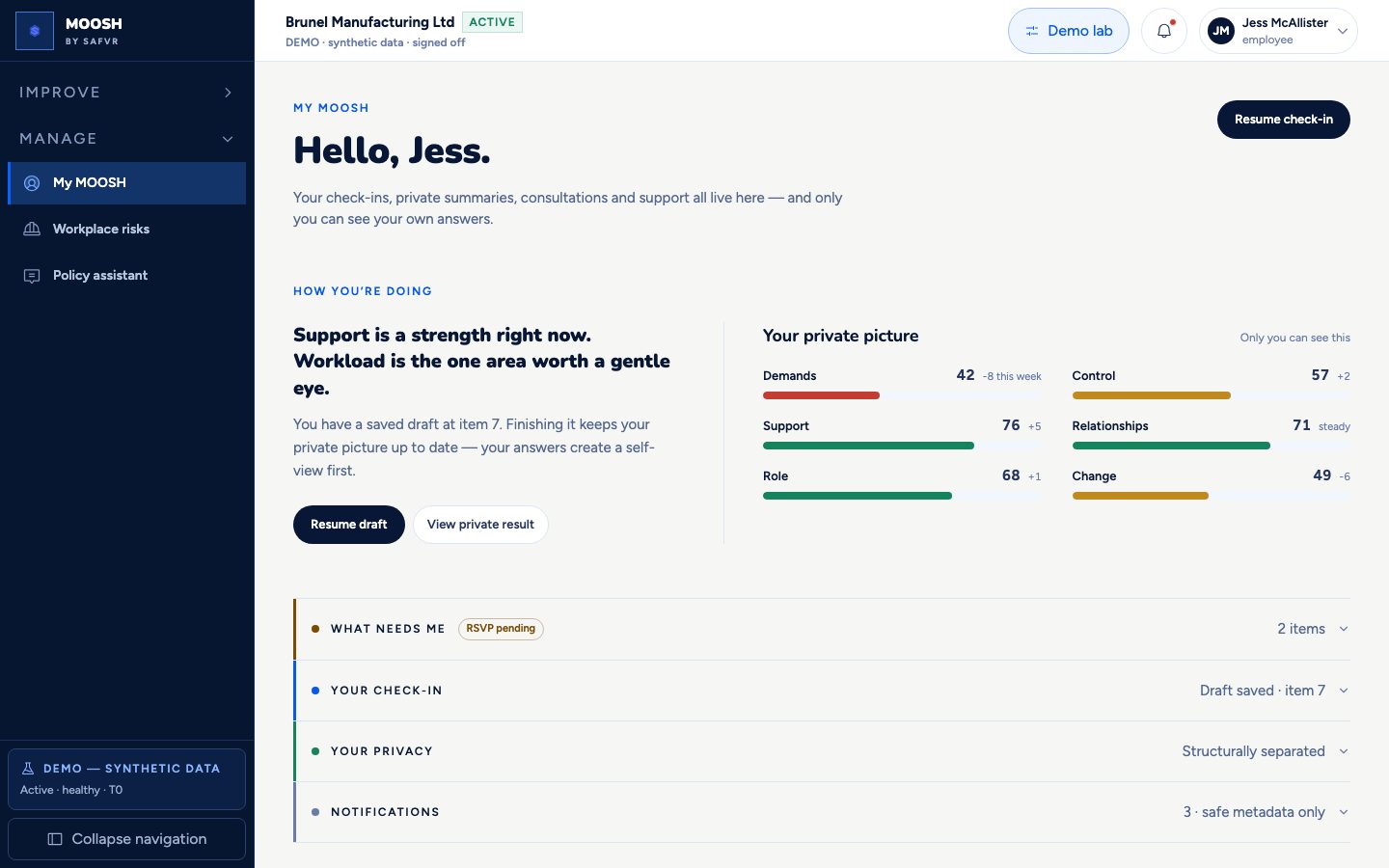
This is the home screen for every employee, not just managers or HR. From here you complete a check-in, see your own private results over time, request confidential support, report a hazard, open workplace risks, or ask the policy assistant — all in one place.
Every other screen in this guide that talks about “group results” ultimately starts with someone completing a check-in here. This page is where that begins, and where you can always see your own side of it.
The page states its own privacy promise plainly: your manager never sees your individual answers, and a support request is never linked back to anything you answered in a check-in.
For example
Jess starts her fortnightly pulse check-in from here, later opens Workplace risks for the approved group view, and uses Support to reach the policy assistant if she needs help finding a company policy.
Worth knowing
- Check-in
- A short questionnaire you complete about your own work experience. Your individual answers are private to you.
What you can do here
- 1Start or resume the current check-in.
- 2View your own private results over time.
- 3Open Workplace risks for consolidated organisational risks only.
- 4Open the Policy assistant from Support, or request confidential support.
- 5See any consultation you've been invited to.