Team dashboard
Team-only aggregates for managers — not Decision Packs or the shared-service cockpit.
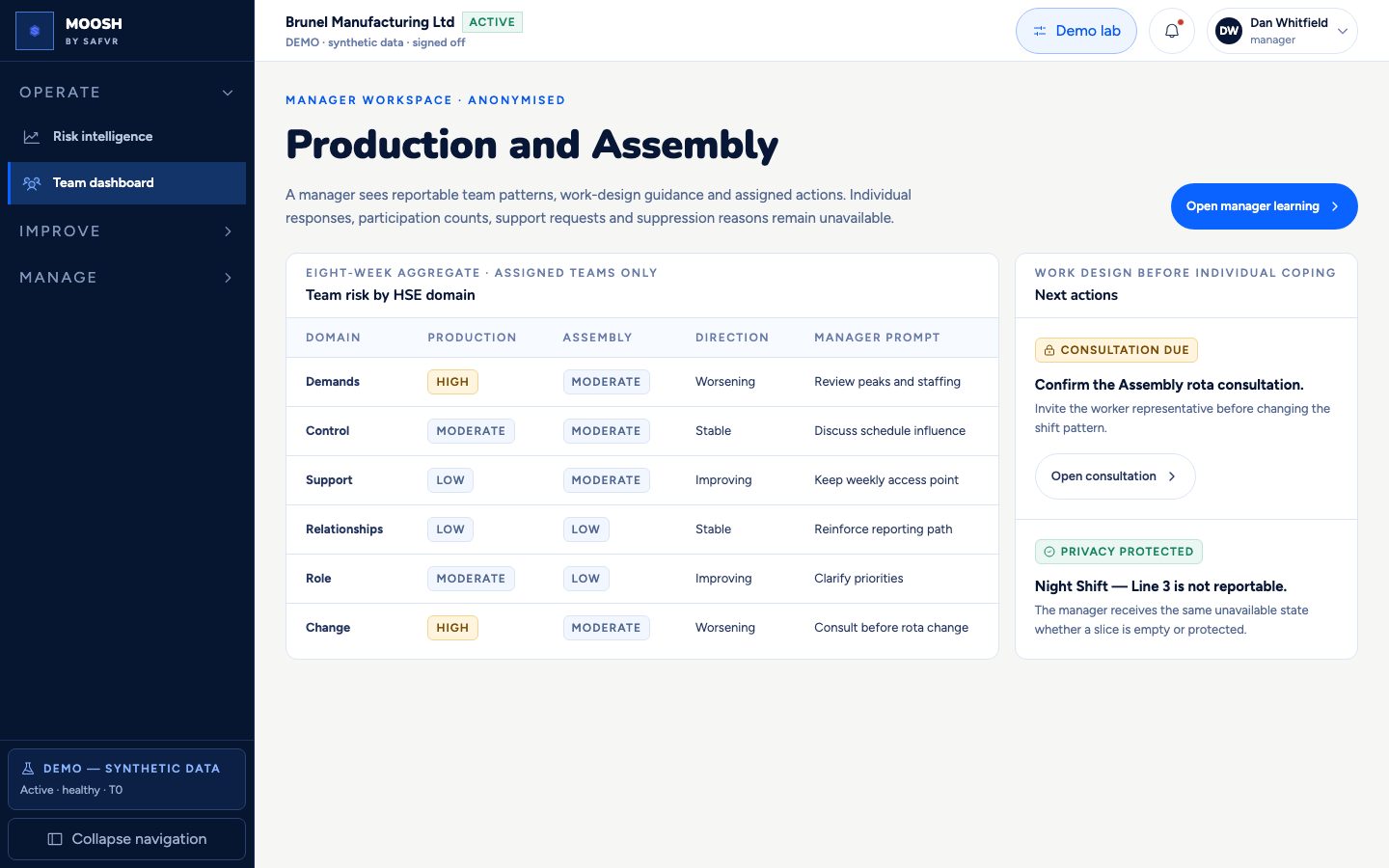
A manager only ever sees their own team, and only as a combined group result — never an individual employee's answer. If the team is too small to protect privacy, this screen shows nothing at all, and looks exactly like a team with no data.
Managers are not the primary operators of Decision Packs; HRBP/EHS shared service owns that exception queue. Managers get actionable team prompts without performance scoring individuals.
The goal is useful work-design guidance — like reviewing peak staffing — without turning wellbeing into a league table.
For example
A manager might see their team's workload marked as worsening, along with a plain suggestion like “review peak-period staffing” — but never which employee flagged the issue.
Worth knowing
- Reportable
- A team result is only shown once enough people have answered. Below that, the screen simply shows nothing, on purpose.
What you can do here
- 1See your team's results across each risk area.
- 2Read a suggested next step, like reviewing a rota.
- 3Open your team's learning resources on managing psychological safety.