Dashboard
Exception cockpit for the HRBP/EHS shared service — clear what needs judgment, not babysit every step.
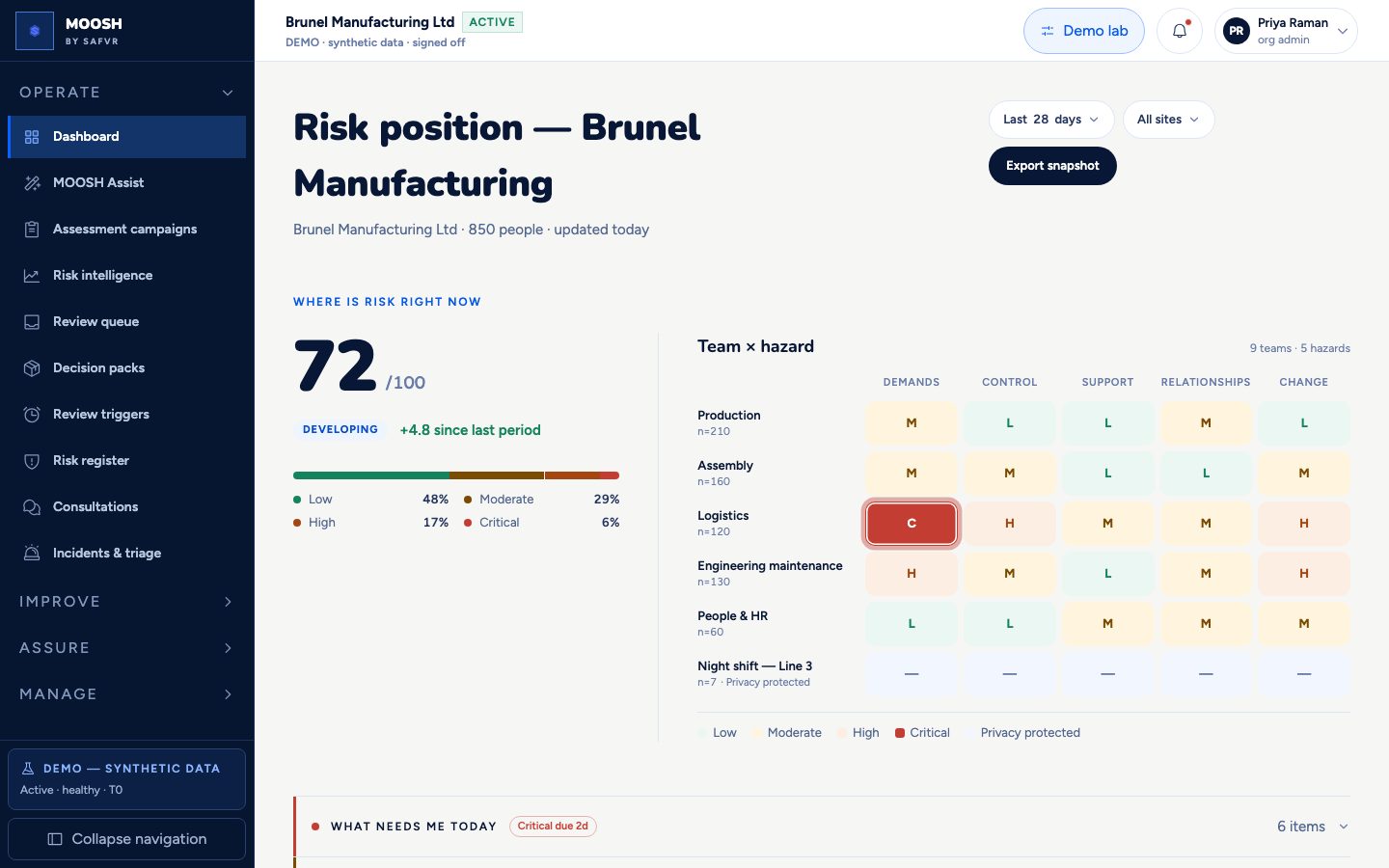
MOOSH is not meant to be another console you live in all day. The dashboard leads with your **risk position** — a single resilience score and a team×hazard heatmap that answer *where is risk right now*. Exceptions needing shared-service judgment (Decision Packs, overdue owner tasks, open review triggers) sit in the **What needs me today** zone just below.
Organisation health stays group-only — scores and maps, never individuals. The five-person floor and privacy rules still apply.
Routine collection and drafting are playbook-driven. You come here when something needs a human approve, amend, or reject — then return to your normal work.
For example
Two Decision Packs and one overdue control task appear in Exceptions needing judgment; Priya opens the pack from here or from the email deep link instead of hunting through menus.
Worth knowing
- Exception cockpit
- The dashboard panel that lists only work needing shared-service judgment — packs, overdue tasks, triggers.
- Resilience score
- A single 0–100 number summarising how healthy things look across the whole organisation right now.
- Group result
- A combined answer from several employees. We never show a result unless at least five people are behind it.
- Decision Pack
- A playbook-assembled bundle of proposed work waiting for shared-service approve, amend, or reject.
What you can do here
- 1Clear exceptions needing judgment first.
- 2Open Decision Packs or overdue controls from the cockpit.
- 3Check resilience score and team map only when you need context.
- 4Use Assist for ad-hoc paperwork, not for every orchestrated pack.