Getting Started
Onboarding & activation
Your organisation is activated through six governed steps (company policy upload is optional but recommended). No live scoring begins until required gates, including dual DPIA sign-off, are complete. After go-live in this mock, the default posture is Tier 2 orchestrated: playbooks and Decision Packs reduce console babysitting; humans still approve exceptions.
Why onboarding exists
MOOSH processes group-level psychosocial data — a special category under applicable privacy law. Before live scoring, you need a baseline, reviewed legal basis, accurate structure (for floors and playbook targeting), a first campaign, optional policies for the employee assistant, and dual-signed DPIA. Required gates cannot be skipped. After activation, orchestration (playbooks, email Decision Packs) is how the shared service works — not a blank daily console.
Your progress is tracked as one checklist
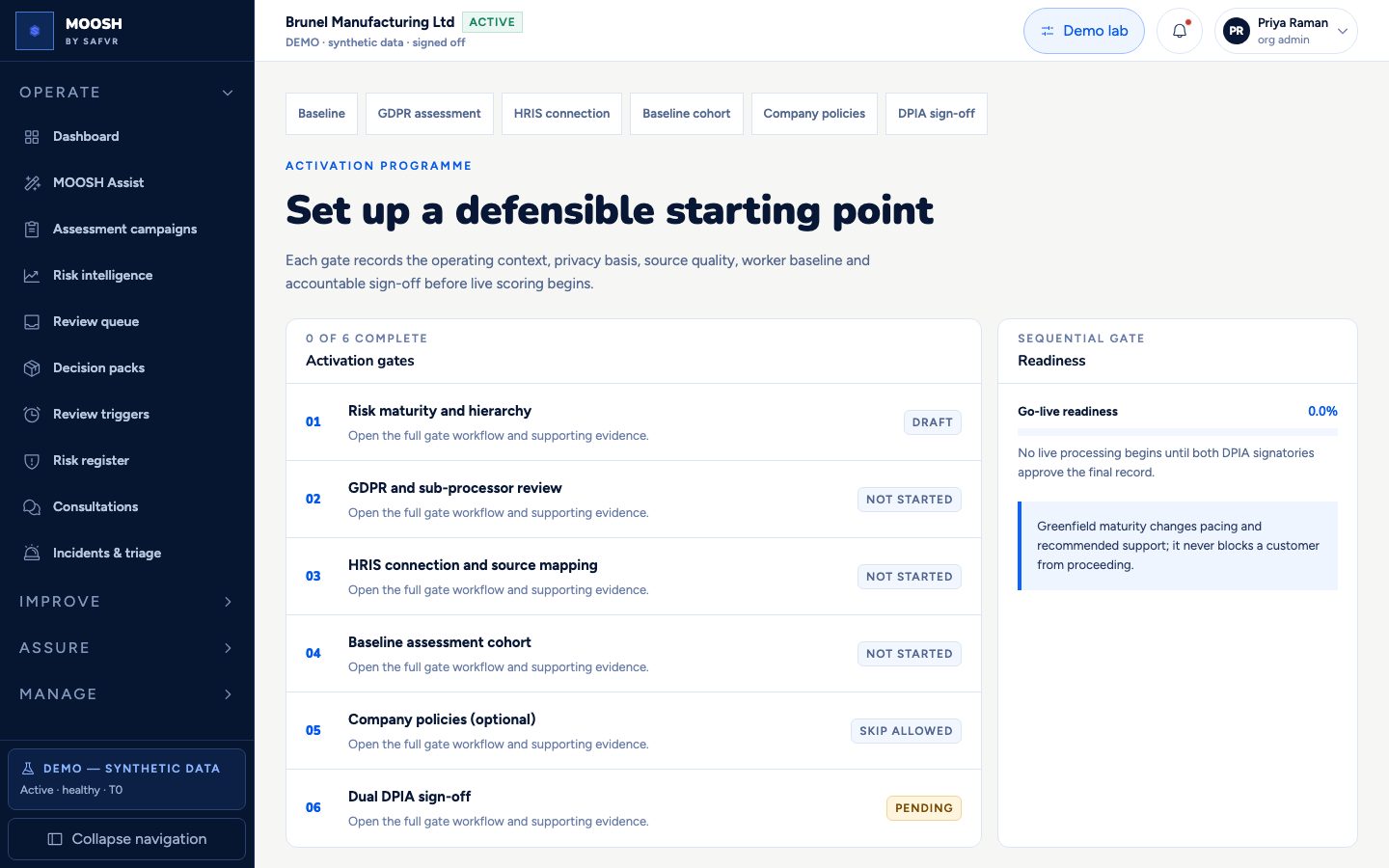
Baseline
Establishes the starting point every later score and report is measured against.
Privacy assessment
The legal record that justifies collecting psychosocial data in the first place.
HRIS connection
Gives MOOSH your real organisational structure, without importing anything sensitive.
Baseline cohort
Runs the first employee assessment, launched and reviewed like a formal event rather than a test.
Company policies
Upload organisation policies into a separate, versioned corpus — optional, resumable, and gated.
DPIA sign-off
The final, dual-signed record that authorises live processing to begin.
Step 1 of 6
Baseline
Establishes the starting point every later score and report is measured against.
Why this step exists
MOOSH cannot tell you whether a risk is improving or a control is working without first recording where your organisation started, and which standards it is being measured against. This step captures that starting point once, formally, before any live data collection begins.
What happens here
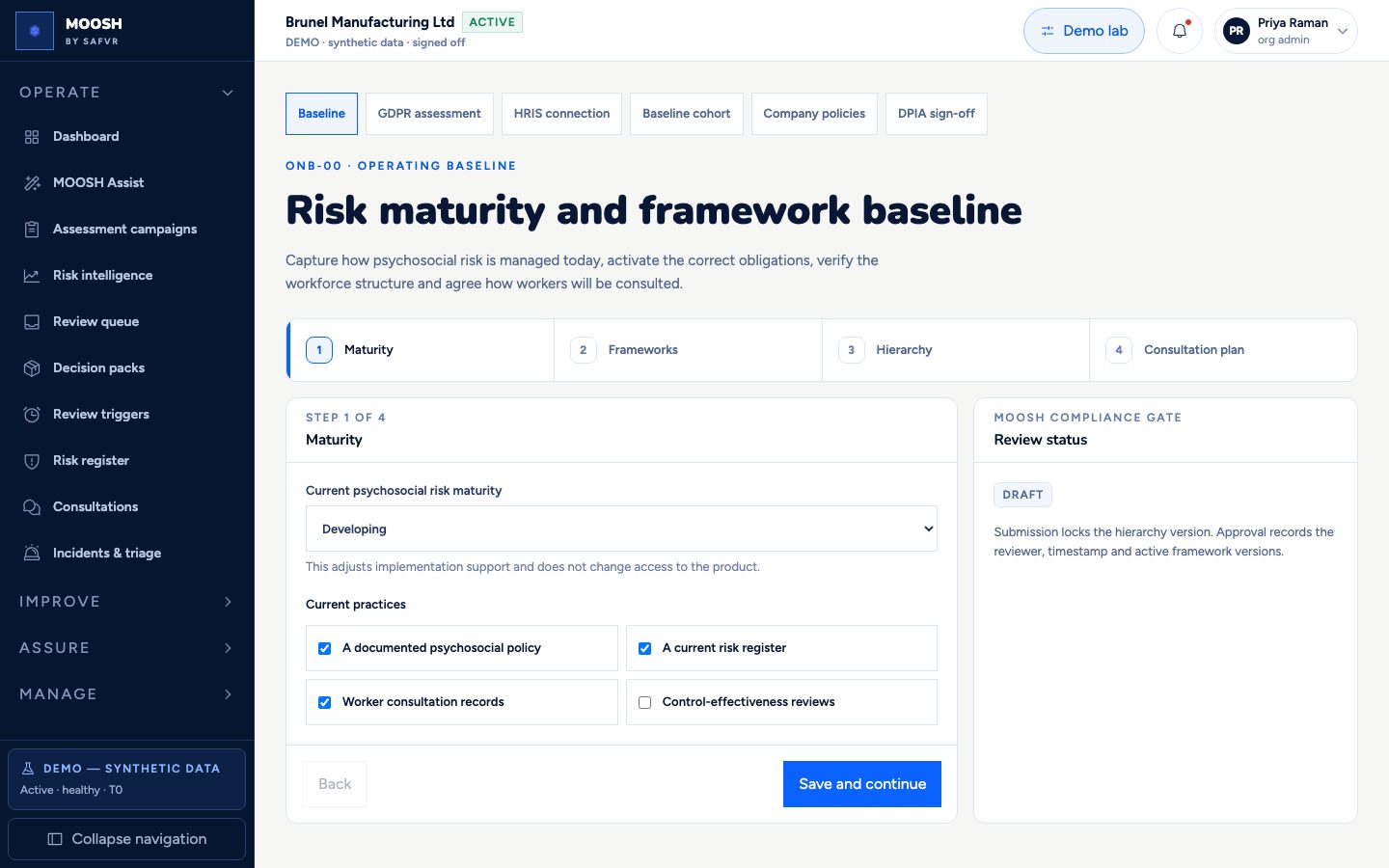
You record your organisation's current psychosocial risk maturity — Greenfield, Developing, Established, or Advanced — and confirm which foundational practices already exist: a documented policy, an existing risk register, prior consultation records, and so on.
You confirm which standards apply. ISO 45003 and the UK HSE Management Standards form the reference operating pack in the demo; AU/NZ/BR packs appear as reference-only until counsel gates pass. The same stack later powers regulation-agnostic playbooks.
You confirm your organisation's structure — sites and headcounts — by validating a workforce CSV or reviewing what has already been mapped, and agree how employees will be consulted going forward: cadence, minimum attendees, and a named worker representative.
The completed baseline is submitted and approved by an independent reviewer before it is locked.
What you get
A documented, independently reviewed starting point. Every risk score, coverage percentage, and maturity comparison MOOSH produces later is measured against this baseline, not an arbitrary default.
Step 2 of 6
Privacy assessment
The legal record that justifies collecting psychosocial data in the first place.
Why this step exists
UK GDPR requires a documented assessment of the lawful basis, data categories, retention, and safeguards before any special-category employee data is processed — reviewed by a qualified person, not accepted on a checkbox. This step produces that record and blocks progress until it has passed independent review.
What happens here
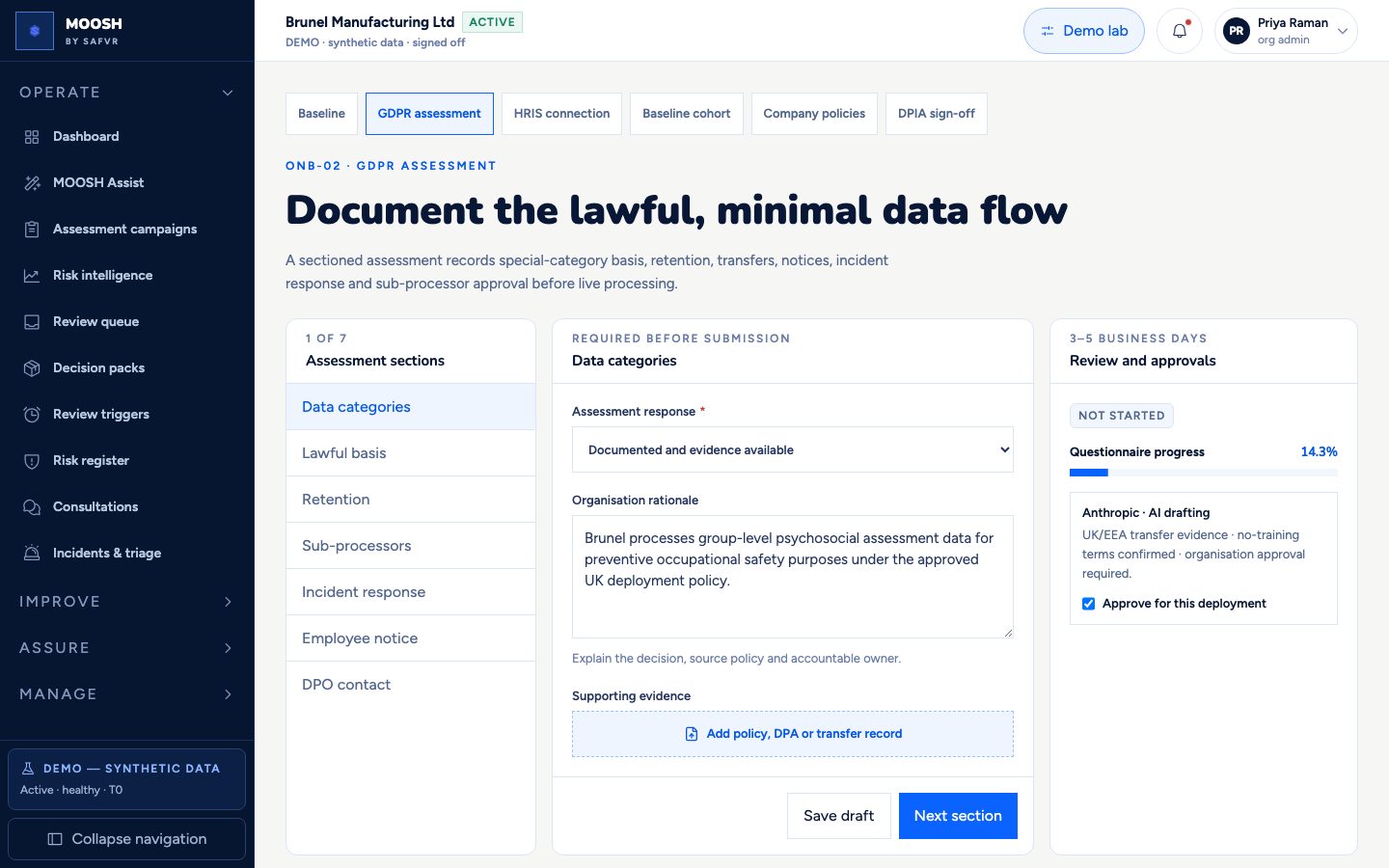
You work through seven sections — data categories, lawful basis, retention, sub-processors, incident response, employee notice, and DPO contact — each requiring a documented response and a written rationale naming the accountable owner.
You review and approve every sub-processor MOOSH relies on for your deployment, including the AI provider used for drafting, confirming its transfer mechanism and no-training terms are acceptable.
Supporting evidence — a policy document, a data processing agreement, a transfer mechanism record — is attached section by section.
The completed assessment is submitted and independently reviewed, typically within three to five business days, before it passes.
What you get
A defensible, reviewed privacy assessment specific to your deployment, and explicit organisation-level approval of every third party MOOSH uses on your behalf.
Step 3 of 6
HRIS connection
Gives MOOSH your real organisational structure, without importing anything sensitive.
Why this step exists
MOOSH needs to know your actual organisational structure — who is on which team, at which site, reporting to whom — in order to group results correctly, enforce the five-person anonymity floor per team, and ensure each manager only ever sees their own team. Without this connection, every team boundary would have to be entered and kept up to date by hand.
What happens here
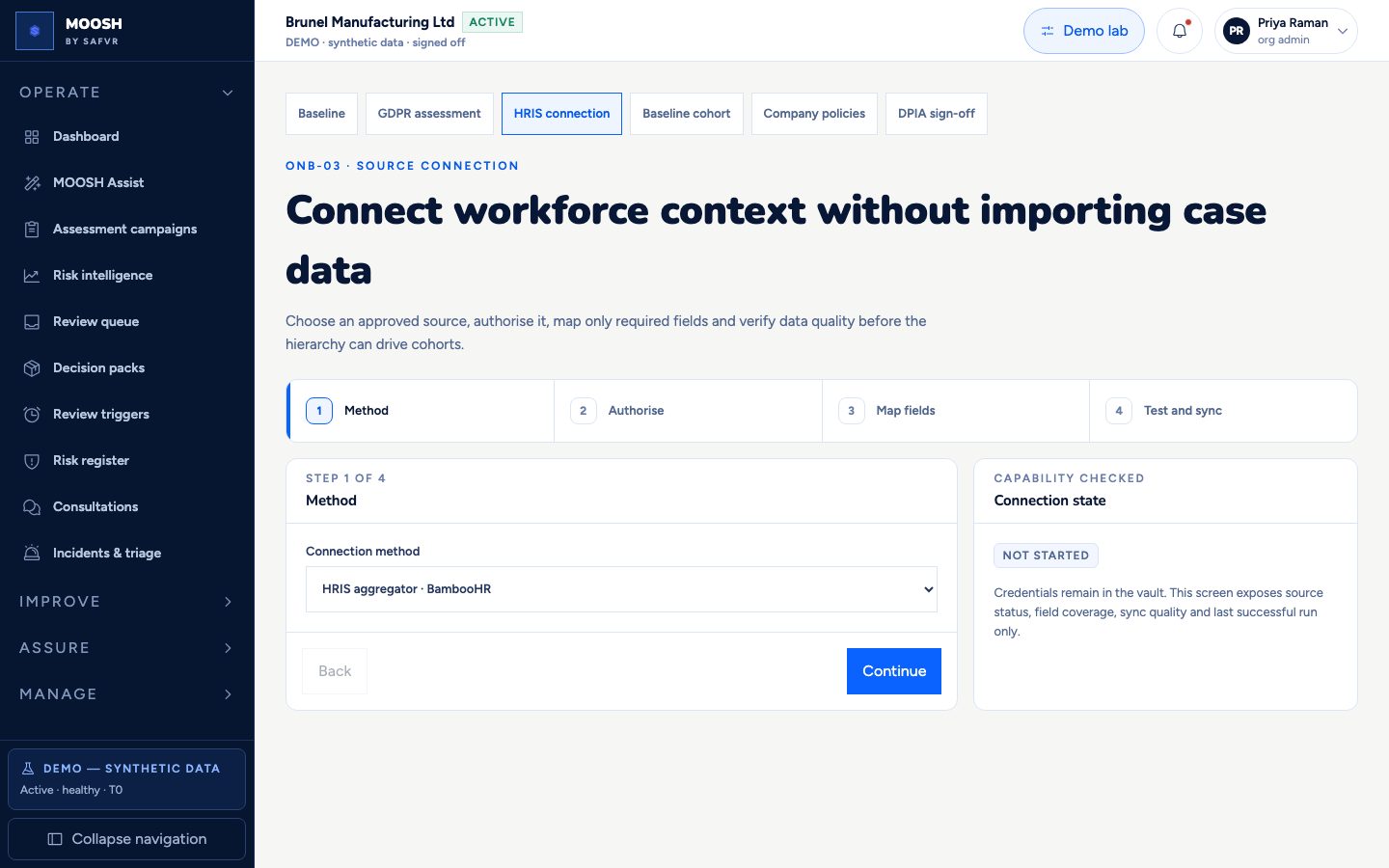
You choose a connection method: a supported HR system (BambooHR is the reference integration), a direct API connection, or a validated CSV upload if you do not use a supported system.
You authorise read-only access, scoped to exactly the fields listed below. The connection can be revoked at any time and cannot write back to your HR system.
You confirm how each source field maps onto MOOSH's own structure — for example, your system's “department” field becomes MOOSH's “Team” — then run a capability test before the first real sync.
MOOSH reports exactly how many records were accepted, flagged, or rejected before the connection is relied on for anything live.
What you get
Every team and site in MOOSH reflects your actual organisation automatically, and stays current through the connection rather than a spreadsheet someone has to update by hand. This is what makes the five-person floor, manager-only visibility, and team-level reporting throughout the rest of the product work correctly from day one.
Data connected
- Active employment status
- Team
- Site / location
- Reporting manager
- Join and leave dates
- Shift pattern, if used
Never collected
- Performance reviews or ratings
- Absence reasons
- Health or occupational-health records
- Salary or compensation data
- Free-text HR notes of any kind
Step 4 of 6
Baseline cohort
Runs the first employee assessment, launched and reviewed like a formal event rather than a test.
Why this step exists
A risk-management platform is only useful once it has real employee input to work from. This step runs the first assessment as a formal, reviewed launch rather than an internal test, because it is the moment employee data begins flowing through the system for the first time.
What happens here
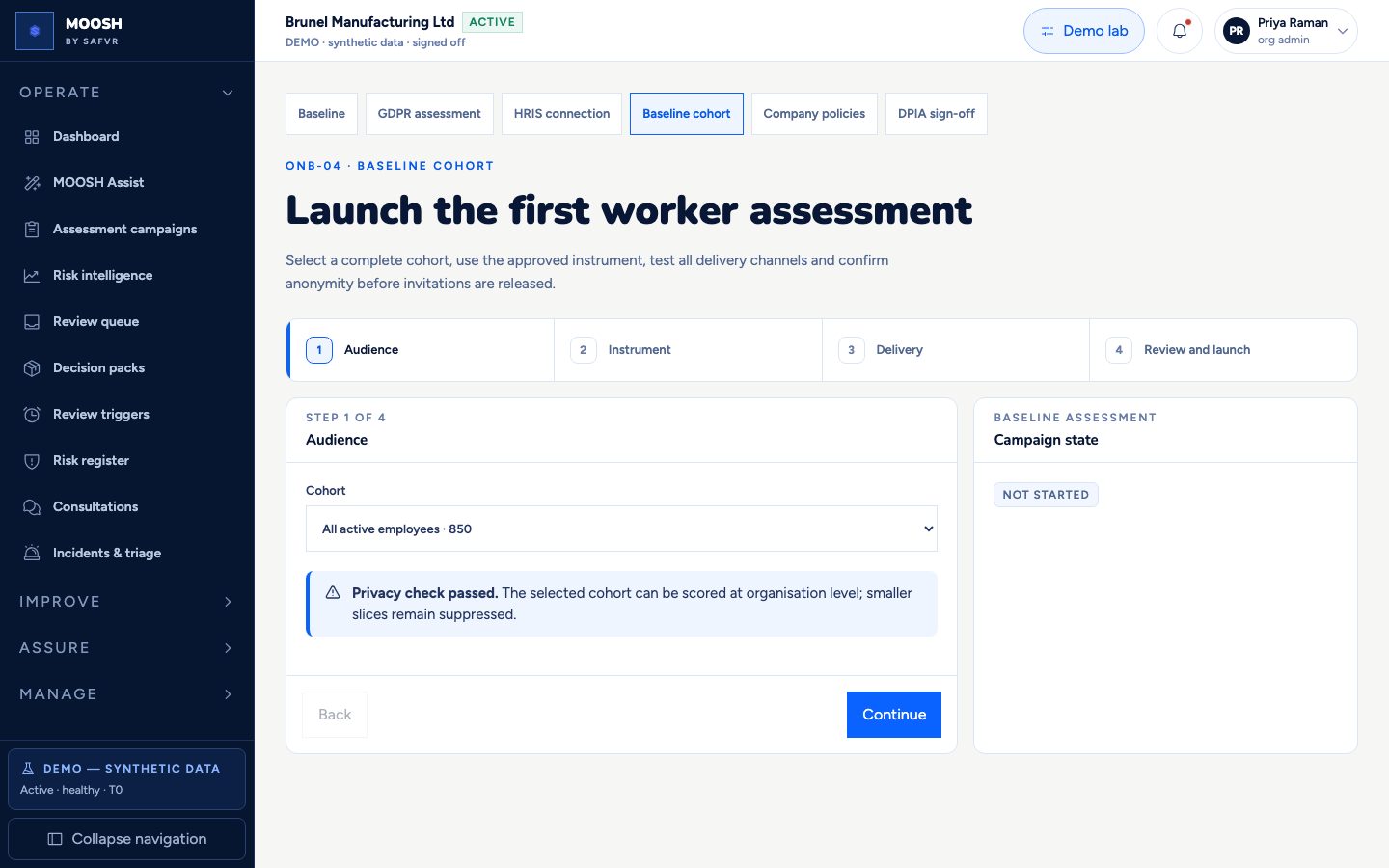
You choose who is included. MOOSH checks the anonymity floor at this stage too — a group below five people, such as a four-person site, is flagged and excluded from group reporting rather than allowed through.
You confirm the assessment instrument from the approved catalog. For a first launch this is normally a full baseline questionnaire rather than a short pulse; third-party instruments such as COPSOQ stay blocked until licensing gates clear.
You test delivery channels — in-app, Slack, Teams, email, or kiosk QR — before launch. After go-live, recurring pulses can be driven by the recurring_pulse playbook so you are not rebuilding every wave by hand.
You confirm the privacy notice has been communicated to employees, then launch the campaign and track response completion in real time.
What you get
A validated first data set, delivered through every channel your workforce actually uses, with the privacy floor enforced from the very first response rather than retrofitted afterwards.
Step 5 of 6
Company policies
Upload organisation policies into a separate, versioned corpus — optional, resumable, and gated.
Why this step exists
Company policies are what the employee Policy assistant cites, and they can also support evidence lineage later. They are not mixed into the low-sensitivity methodology corpus used for general AI drafting; they need their own access-controlled store.
What happens here
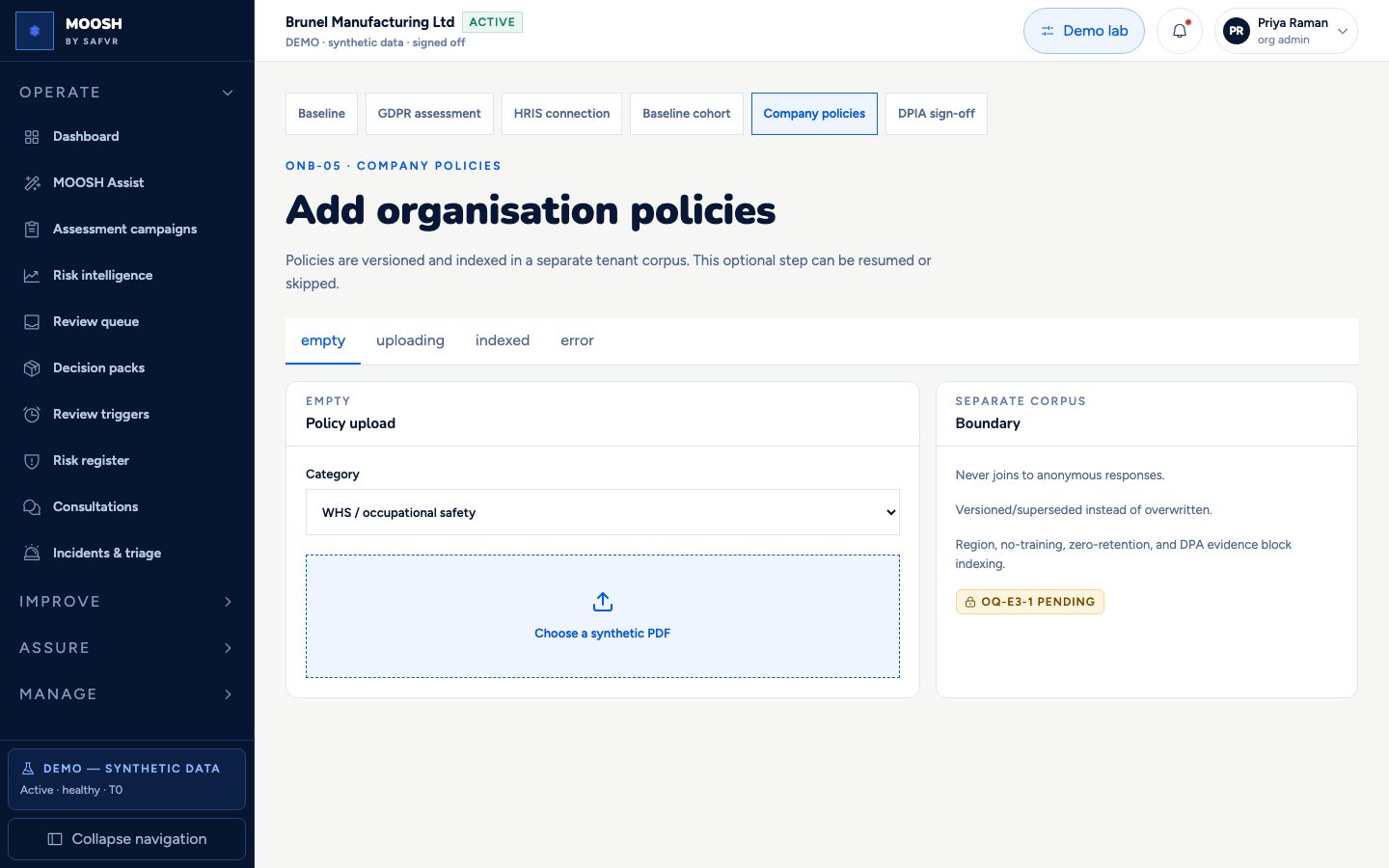
You optionally upload policies with a category — occupational safety / WHS, code of conduct, grievance, EAP, or other — as versioned documents.
Files move through empty, uploading, indexed, and error states. If the indexing processor gate is not available, the source file and metadata are preserved and AI retrieval stays disabled.
Policies never join to anonymous check-in answers. Supersession is versioned rather than overwriting history.
You may skip or resume this step; activation can continue without it, but the Policy assistant will have nothing company-specific to cite until policies are indexed.
What you get
A per-organisation policy corpus ready for cited employee answers and future evidence attachment, with clear processor and privacy boundaries.
Step 6 of 6
DPIA sign-off
The final, dual-signed record that authorises live processing to begin.
Why this step exists
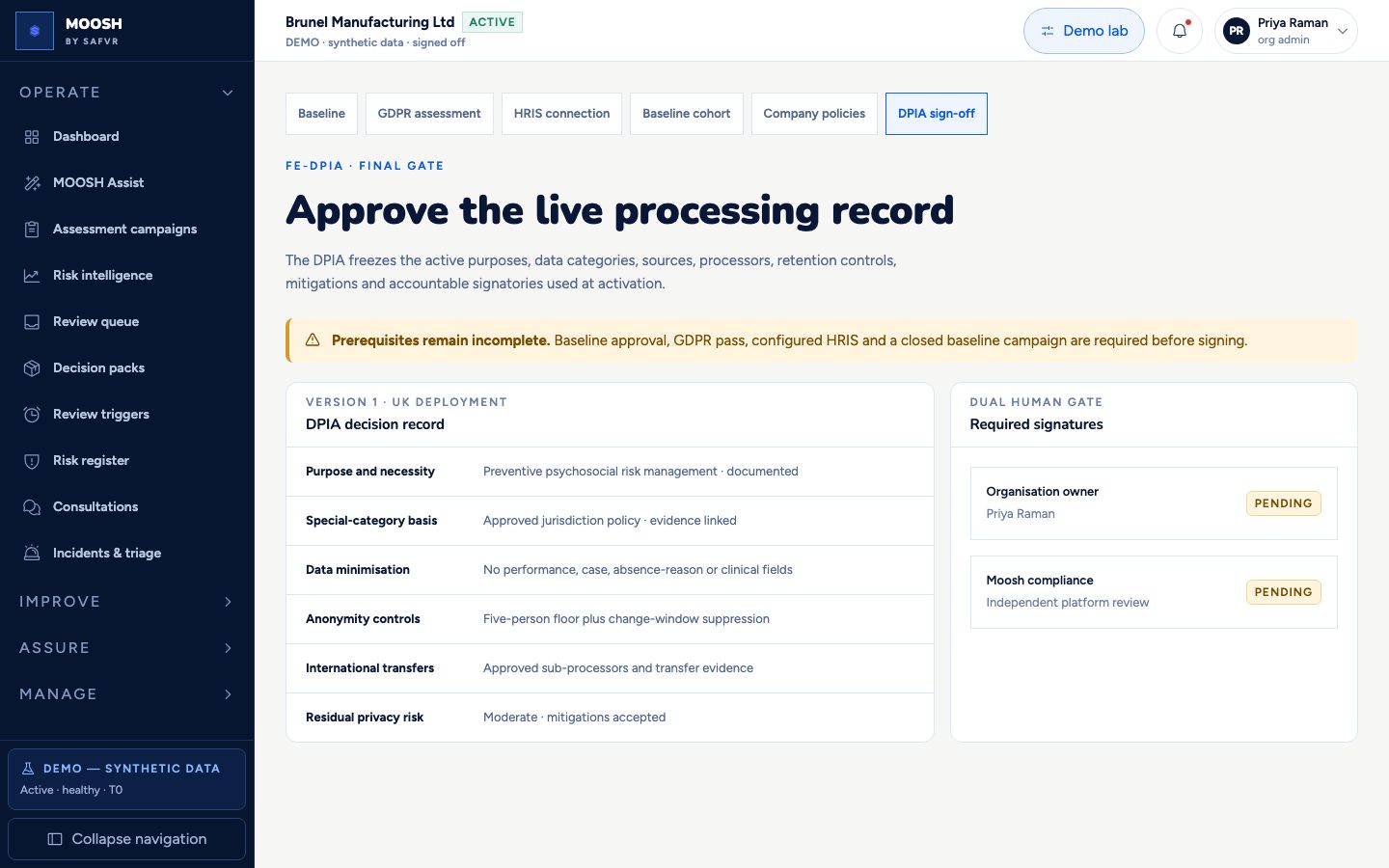
Every prior step feeds a single, formal Data Protection Impact Assessment — the document a regulator would ask to see. It cannot be signed until the baseline is approved, the privacy assessment has passed, HRIS is connected, and the first cohort has closed, because each of those is a fact the DPIA is attesting to. Uploaded policies are a new data category that may also trigger re-DPIA review.
What happens here
MOOSH assembles the final decision record from what has already been completed: purpose and necessity, the special-category legal basis, exactly what data is and is not collected, the anonymity controls in force, and any international data transfers involved.
Two separate people must sign it: your organisation's own accountable owner, and an independent reviewer. This is deliberate — no single individual can authorise live processing alone.
What you get
A single, dated, defensible record of exactly what MOOSH was authorised to do at go-live, carrying two independent signatures. Once both are in place, the organisation activates — scoring begins and the mock default posture is Tier 2 orchestrated (playbooks and Decision Packs), not a blank console.